Stop typing. Start talking.
Hold a key, speak naturally and your voice turns into text in any app. Everything happens on your Mac — nothing travels to the cloud.
Like Wispr Flow, but free and private.
Watch it dictate in 11 seconds.
Hold Right ⌘, speak naturally, release… and the text lands already punctuated, right where the cursor is. Nothing to open, and nothing leaves the Mac.
Hold Right ⌘. That's the whole interface.
No windows, no menus, no mouse. Put the cursor where you want to write, hold the key and talk. It works with the keyboard you already have.
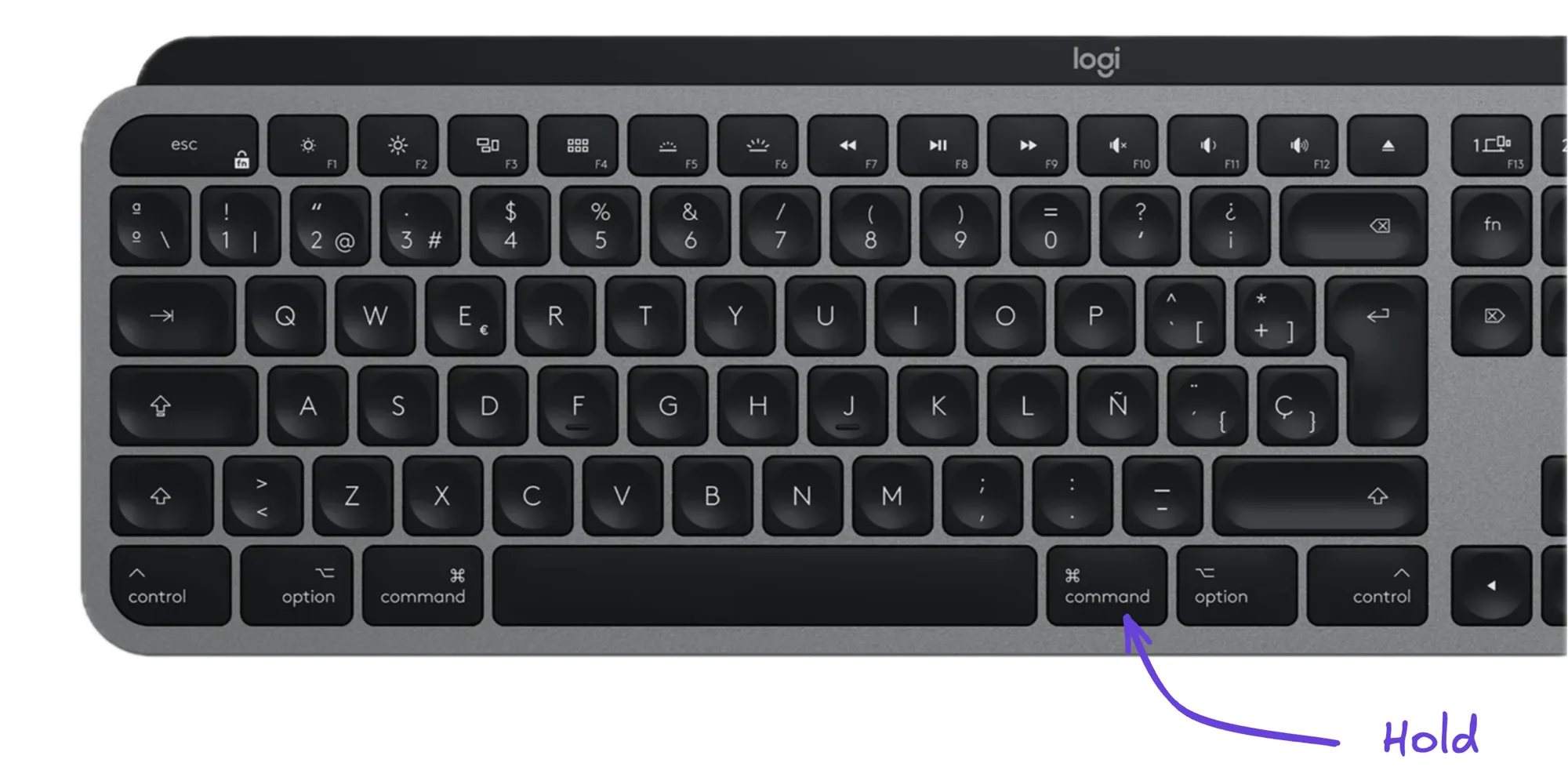
Try it: press and hold the highlighted ⌘ — or your physical Right Command.
Three steps. Zero friction.
Nothing to open, no copy-paste. It works on top of the app you're already using.
Press and hold
Hold your key. ChacharApp starts listening instantly, with no window in the way.
Speak naturally
Dictate the way you'd talk to a person. No weird commands, no forced pauses.
Release and done
The text lands right where your cursor is, already punctuated, in any application.
Whisper runs on your Neural Engine. Nothing leaves your Mac.
We run the speech model locally on Apple Silicon, on the Neural Engine — whichever one you pick, always on your machine. No servers, no subscriptions, and no words of yours travelling anywhere. The app doesn't track you or analyse how you use it: zero telemetry and zero cloud dependency.
Measured on Apple Silicon with the bundled model and the app warm. It varies with the chip, the model you pick, how long you speak and whether you enable the optional LLM cleanup.
- No telemetry
- No usage analytics
- No account
- No network in normal use
“Send the deck to cubernetes over slack before eod.”
Send the deck to Kubernetes over Slack before EOD.
It tunes to the way you speak.
Add your own vocabulary: names, acronyms, technical jargon and brands. With phonetic matching you say “cubernetes” and it writes “Kubernetes” — without ever typing the misspelling into a rule.
Everything is configurable. Even the engine.
Pick your shortcut, your microphone and the speech model. Use the bundled one, download another variant or import your own (WhisperKit CoreML) — and it always runs locally, never in the cloud.
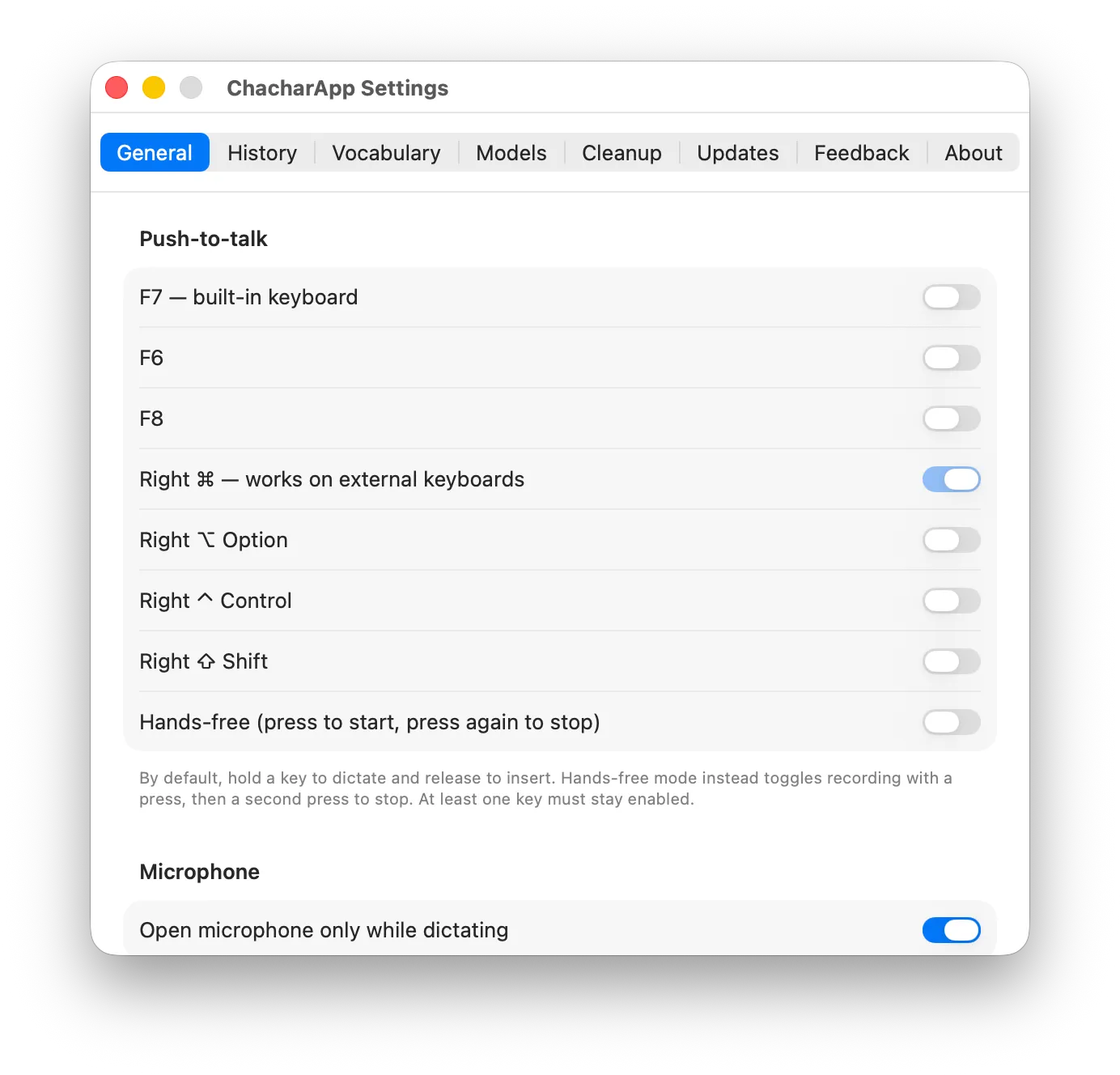
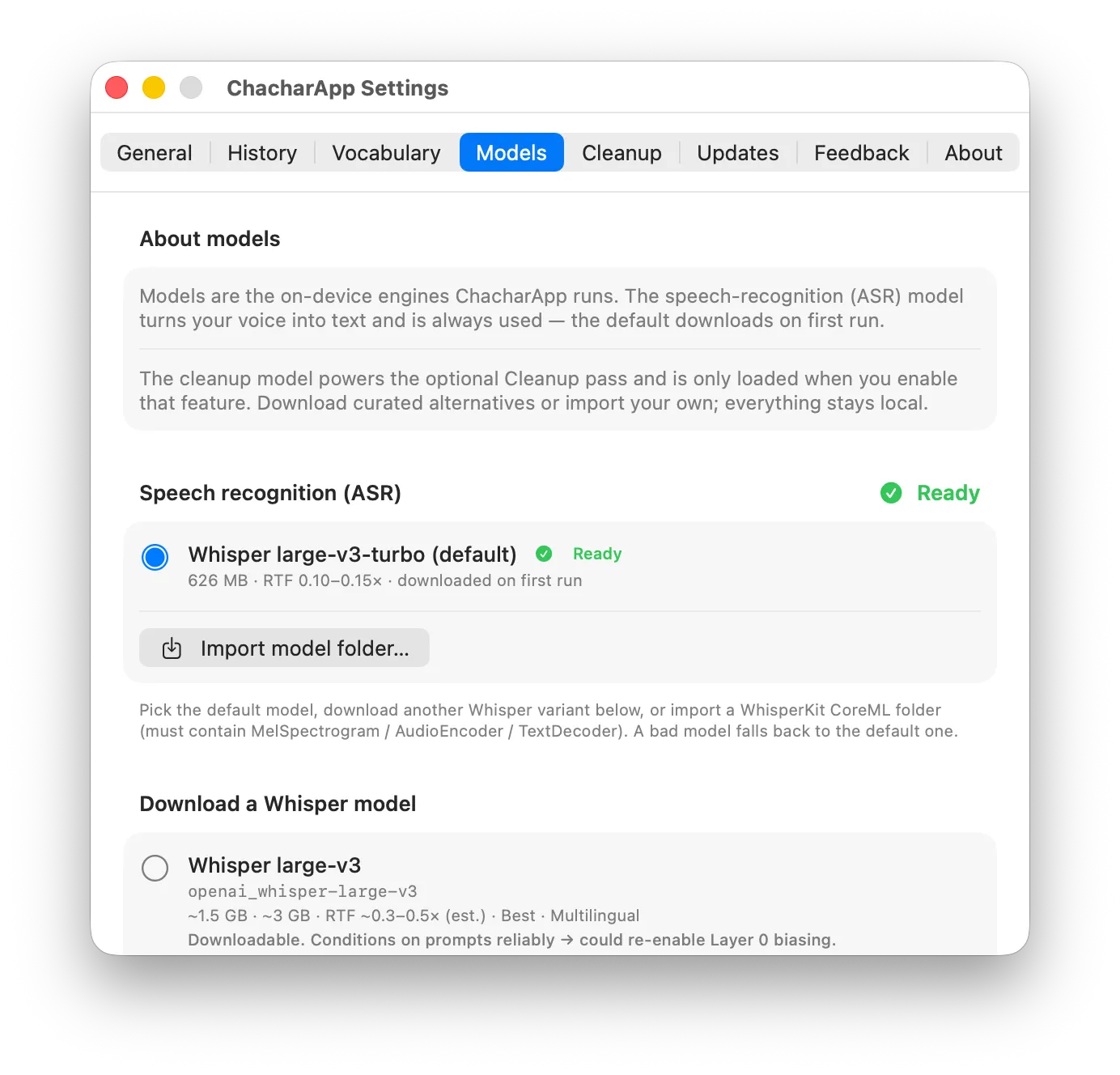
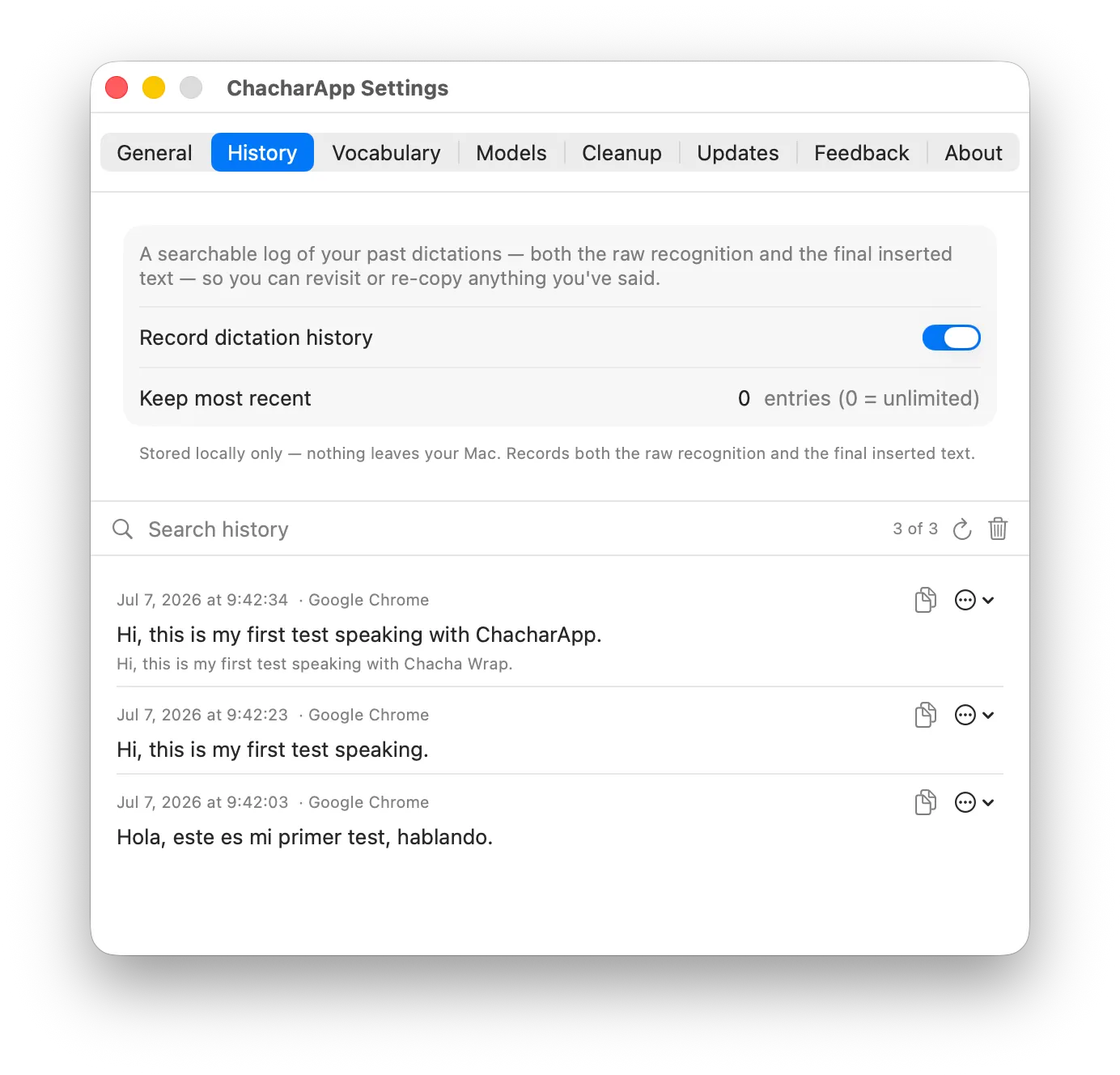
Every dictation, stored locally. Only you see it.
A searchable local history keeps the raw recognition next to the final text: you see what it heard and what it fixed. Nothing leaves the Mac, no account, no telemetry. My favourite: I dictated its own name and Whisper heard “Chacha Wrap”. What got inserted: “ChacharApp”.
Why choose ChacharApp.
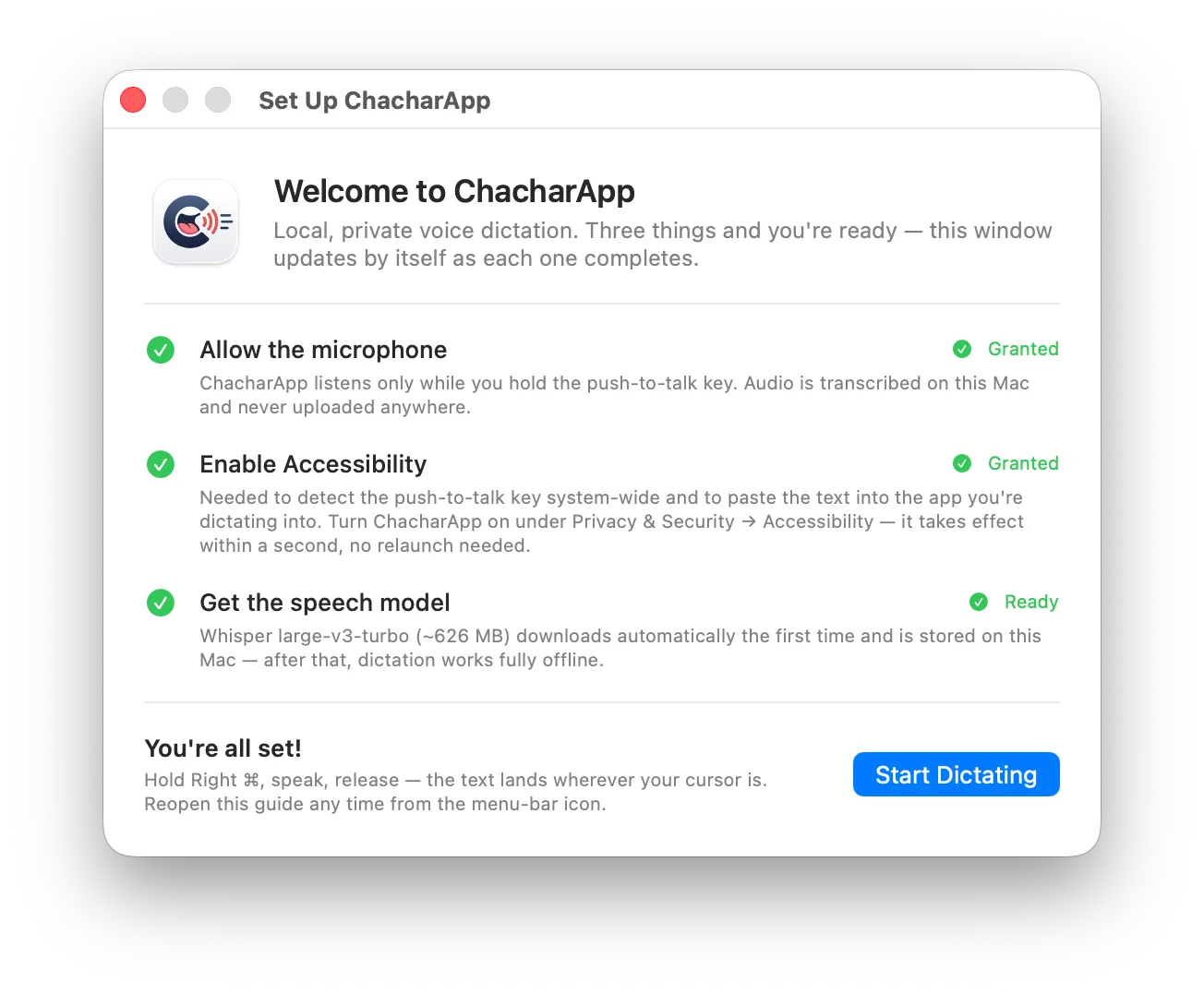
Three steps and you're dictating.
Download the .dmg, open it and the app itself walks you through it: microphone, Accessibility and the speech model, which downloads on its own the first time. The checklist ticks itself off. No account, no weird setup.
View the code on GitHubWhat this product demonstrates
Beyond being the tool my daily work runs on, ChacharApp is the clearest evidence of how I build AI products: it covers the whole arc, not just the model call.
- Identifying and defining a real problem, rather than looking for an excuse to use a model.
- Designing an extremely simple interaction: hold a key and talk.
- Building the entire application: Swift, SwiftUI, macOS integration and distribution.
- Integrating speech recognition and language models, deciding where each one earns its place.
- On-device processing and privacy as an architectural decision, not a marketing line.
- Personalisation through a phonetic glossary, adapting to how each person actually speaks.
- Deterministic guardrails against errors and hallucinations, including the delete-only contract.
- Comparing raw transcription against processed text: corrections you can audit.
- Measuring latency and performance, and publishing the conditions those numbers hold under.
- Onboarding, configuration and distribution: the unglamorous part that decides whether anyone uses it.
ChacharApp is not a model demo. It is a complete product designed around a real user need and the limitations of AI.
Your voice, your text, your Mac.
Download it for free and start dictating in under a minute.
Download ChacharApp