Indie iOS product · App Store
Salturno
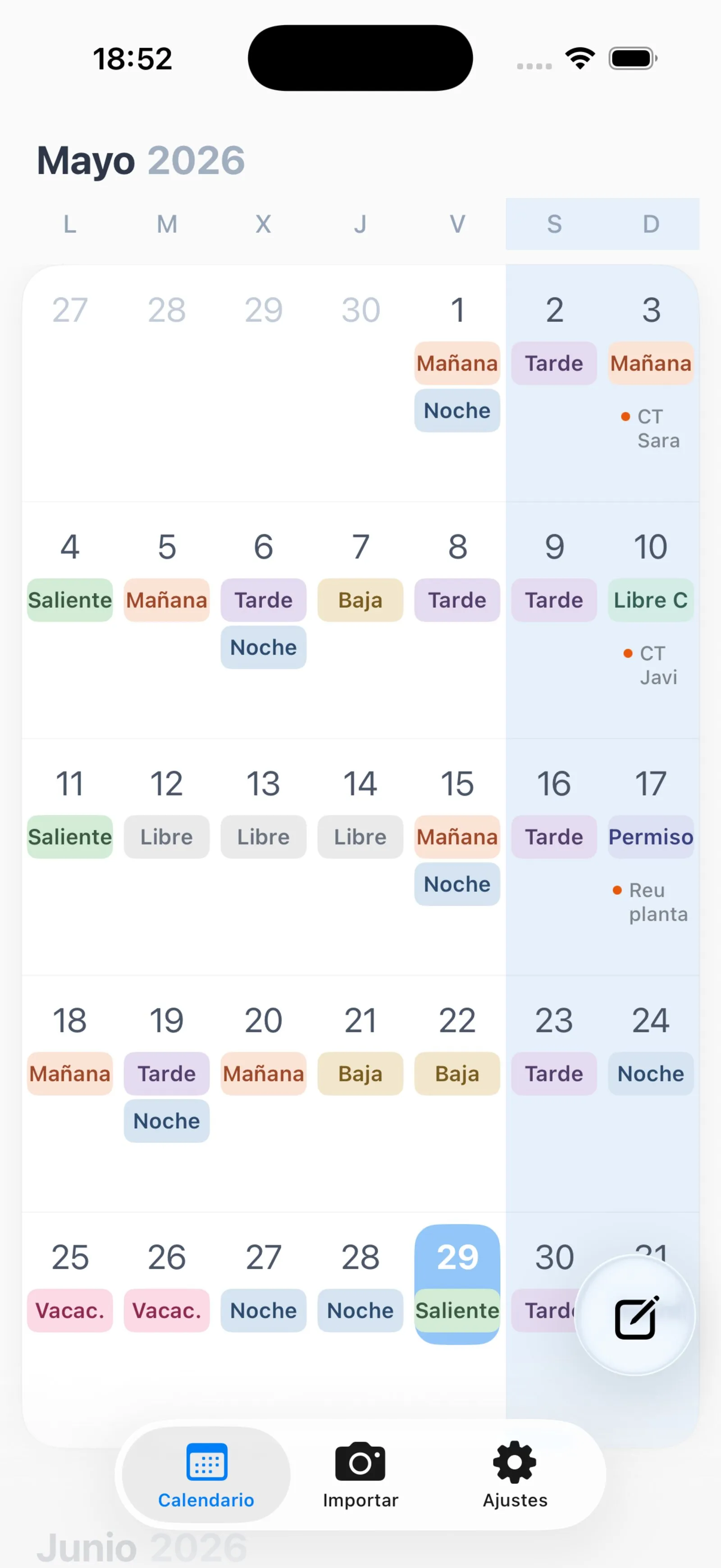
Shift-work calendar for iOS: photograph your rota or pick the PDF and get a colour-coded month in under a minute. AI only where it adds value — deterministic extraction when the PDF already has text, no accounts and local-first storage.
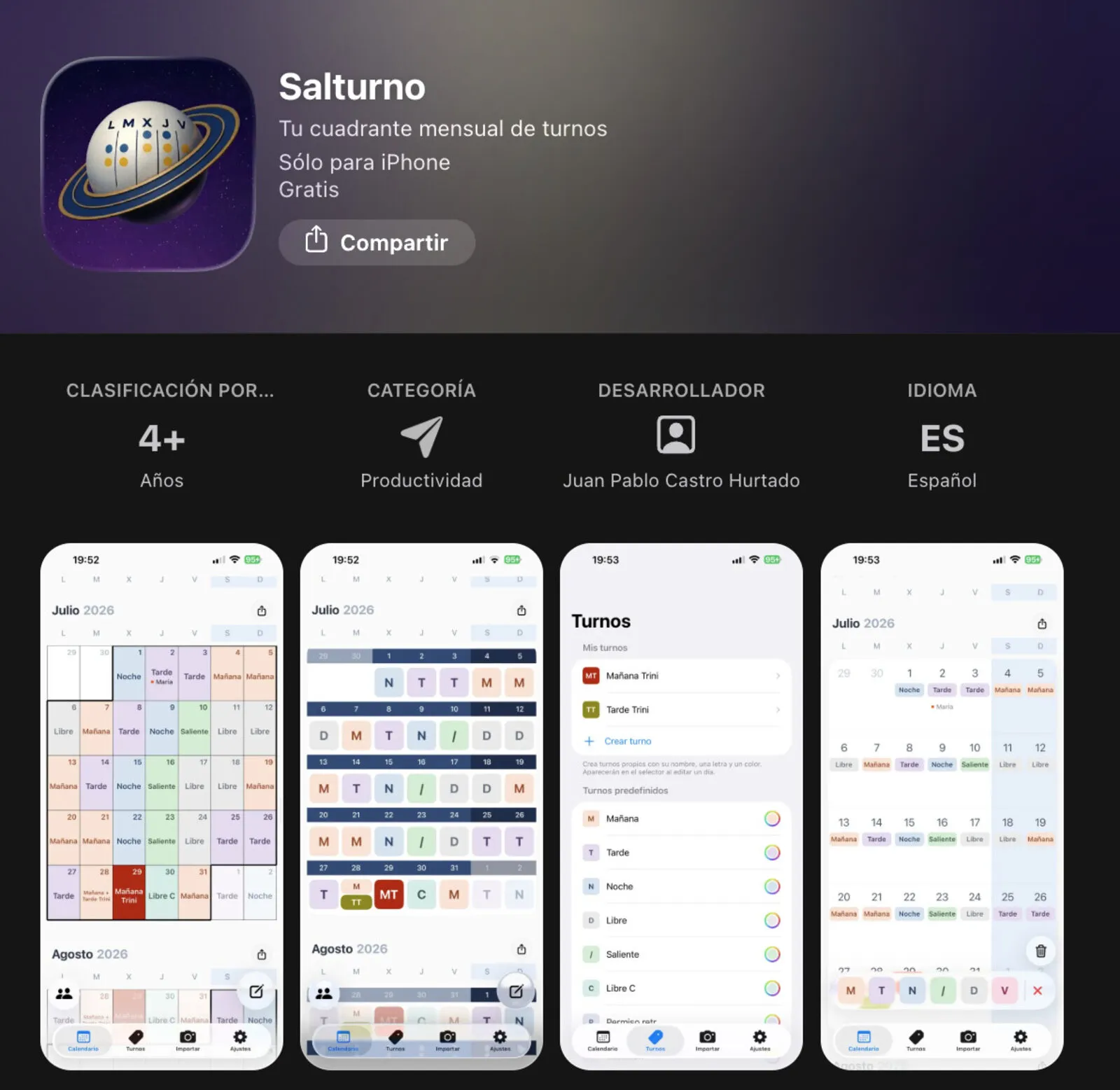
The name combines Salamanca and turno (shift) — but the problem it solves is universal: anyone who works rotating shifts (morning, afternoon, night, rest day) receives their monthly schedule on paper or PDF and is left to figure out the rest on their own.
Salturno does that step for you: one photo or one PDF, your name, and in under a minute every shift for the month lands in a clean, colour-coded calendar — ready to consult, not to decode.
The problem #s1
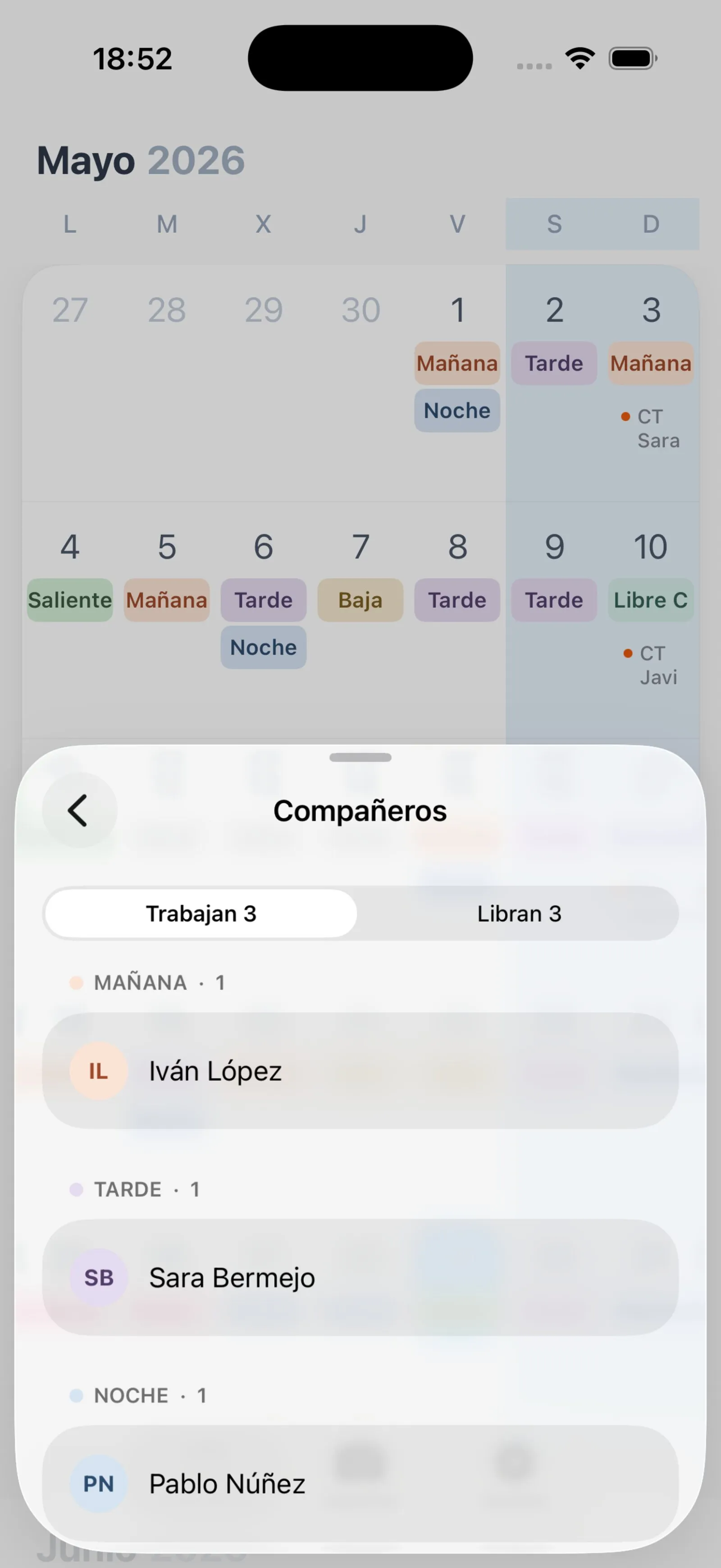
If you work rotating shifts you know the routine: you receive the schedule and from that point on you have to keep it in your head, re-check the paper, and coordinate with colleagues. Some people transfer it to Google Calendar by hand. Others just rely on memory.
That manual step is where Salturno intervenes. The cognitive overhead is real — and entirely avoidable.
How it works #s2
Open the app, take a photo of your rota or pick the official PDF, enter your name as it appears on the schedule and tap process. In under a minute all your shifts for the month appear in a clean calendar with colour codes.
When the rota comes as a PDF with a text layer, the process is faster and more precise: no camera and no model involved, because the text is already there and only needs interpreting.
What actually happens to your data #s3
The app is local-first: your iPhone is the source of truth. But photo import is not local magic, and that deserves to be stated precisely rather than hidden behind an "everything stays on your device".
- On the device: all your shifts (local storage and, if you enable it, a replica in your private iCloud), manual editing, the PDF preview and the review of the result before it lands in your calendar.
- Manual use: if you type your shifts in by hand, nothing goes to my servers.
- Photo import (optional, behind a consent notice): the photo leaves the device for my infrastructure in the European Union and from there to a third-party generative AI service (OpenAI, in the United States) that extracts the rota. There is no on-device OCR.
- Your name never reaches the AI: it accompanies the request, stays in my infrastructure, and is used afterwards — on your iPhone — to find which of the recognised shifts are yours.
- PDF import with a text layer: takes a deterministic backend path that parses without a model and without consuming quota. The document is still uploaded, but no AI ever looks at it.
- When AI is involved: only in photo import. Not in manual use, not in text PDFs.
- What does not exist: accounts, logins, passwords, a central copy of your shifts on my servers, advertising or tracking identifiers, and selling data to third parties.
Recognition is automated but reviewable: the app does not add shifts blindly, it shows them first. And the whole architecture is published in the app's privacy policy, with a separate subprocessor list — because promising privacy without letting anyone check it is worth nothing.
| Data | Maximum retention |
|---|---|
| Your shifts (device and private iCloud) | Under your control: until you delete them or uninstall |
| Rota photo in my infrastructure | 24 hours |
| Rota photo at the AI provider | 30 days, solely for abuse detection. Not used to train models |
| Recognition result and your name | 72 hours |
| Anonymous technical install identifier | Until you uninstall the app |
When not to use AI #s4
Salturno is an AI product mostly because of what it refuses to do with AI. Every capability went through the same filter: does the intelligent path actually beat the deterministic one for the user?
- PDF with a text layer → deterministic parsing. No model, no quota, no failure modes to explain: faster, cheaper and more predictable than asking an AI.
- Photo of a paper rota → the one place where AI earns its keep: there is no deterministic way to read a photographed grid with handwritten names.
- User accounts → none. They add nothing to the job to be done, so they don't exist.
- The takeaway: being an AI Product Engineer also means knowing when not to use AI. The user cares about a correct calendar, not about how it was produced.
Personalisation #s5
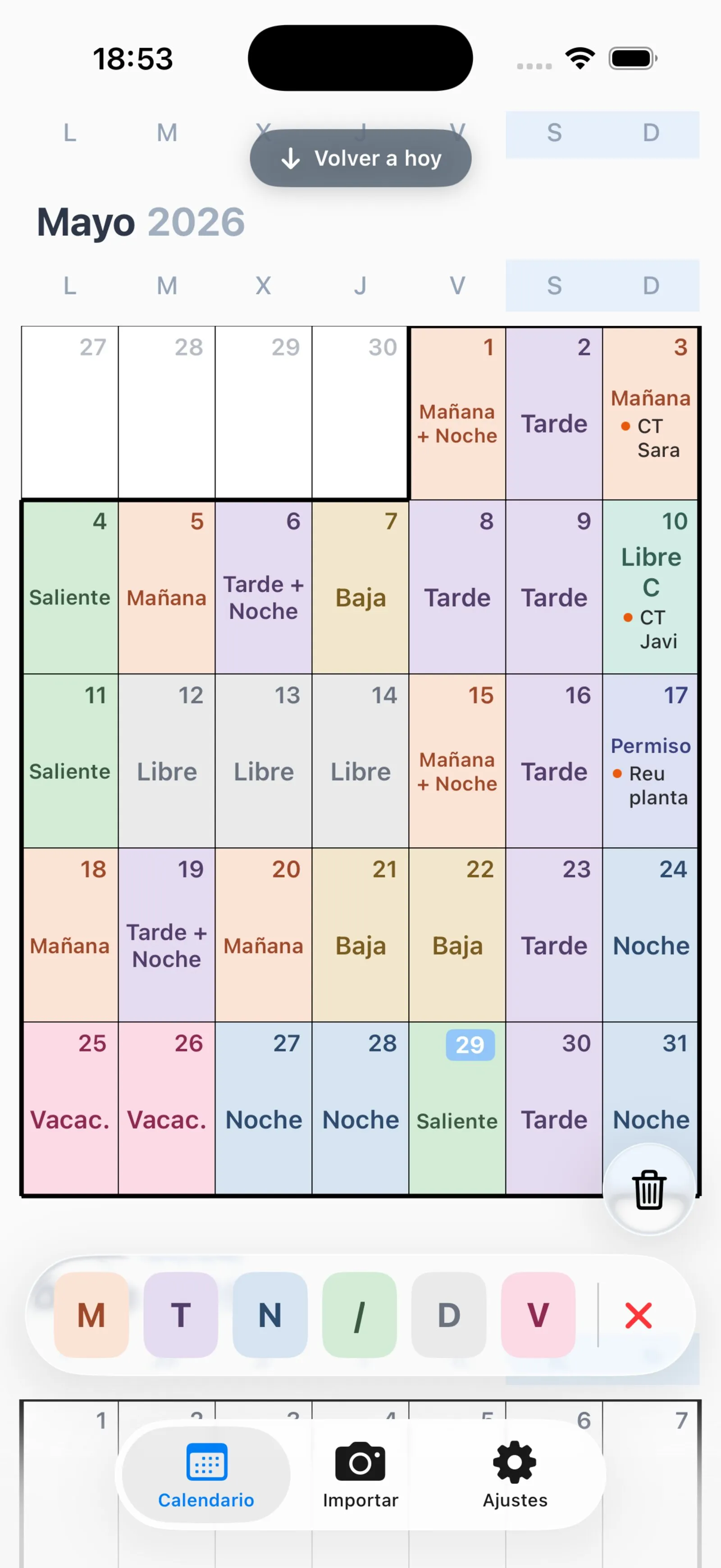
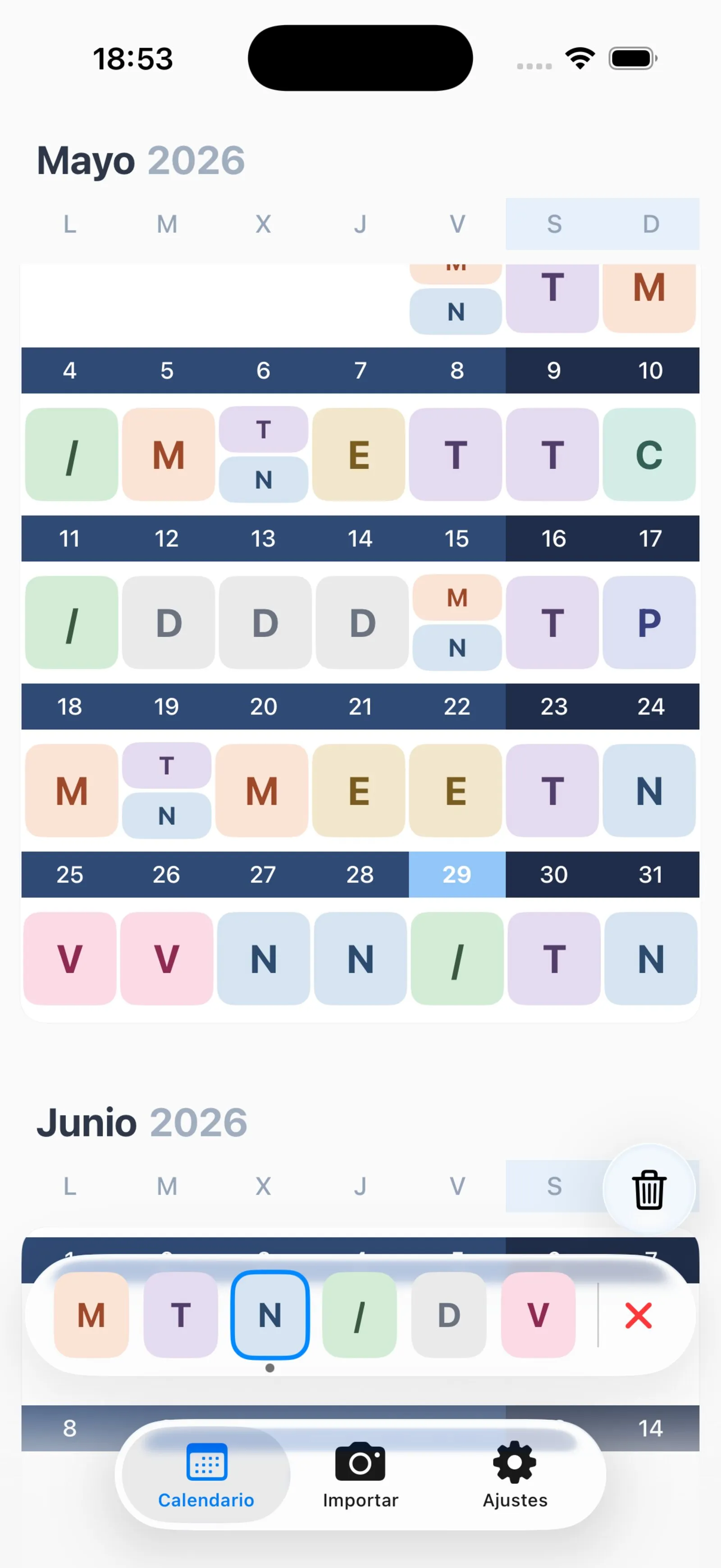
Every person organises their life differently. Salturno lets you change the colour of each shift type, adjust the calendar view, create your own shift codes if the standard ones do not match your workplace, and choose between several visual themes.