Technical talk · Technitive · Capgemini AD Center
Frontend Architecture — Simplifying Status Messages
A community talk on how to remove repetitive try/catch blocks from every screen by moving error and status handling into the HTTP layer.
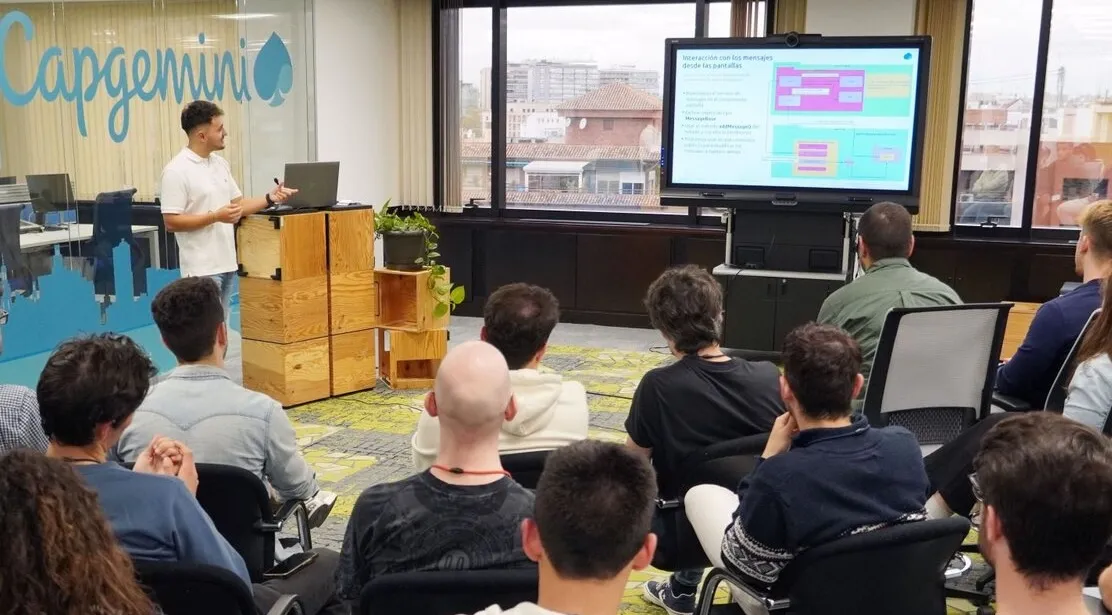
A community talk given at Technitive (March 2024) on behalf of Capgemini AD Center, exploring how to stop sprinkling try/catch and toast logic across every screen of a frontend application.
The framing is simple: business rules and HTTP failures should not be the responsibility of the screen that triggered them. The talk walks through a small Angular reference app — a Formula 1 dashboard with screens for drivers, teams, circuits and seasons — to show how a tiny architectural change removes hundreds of lines of repetitive error handling.
The problem #s1
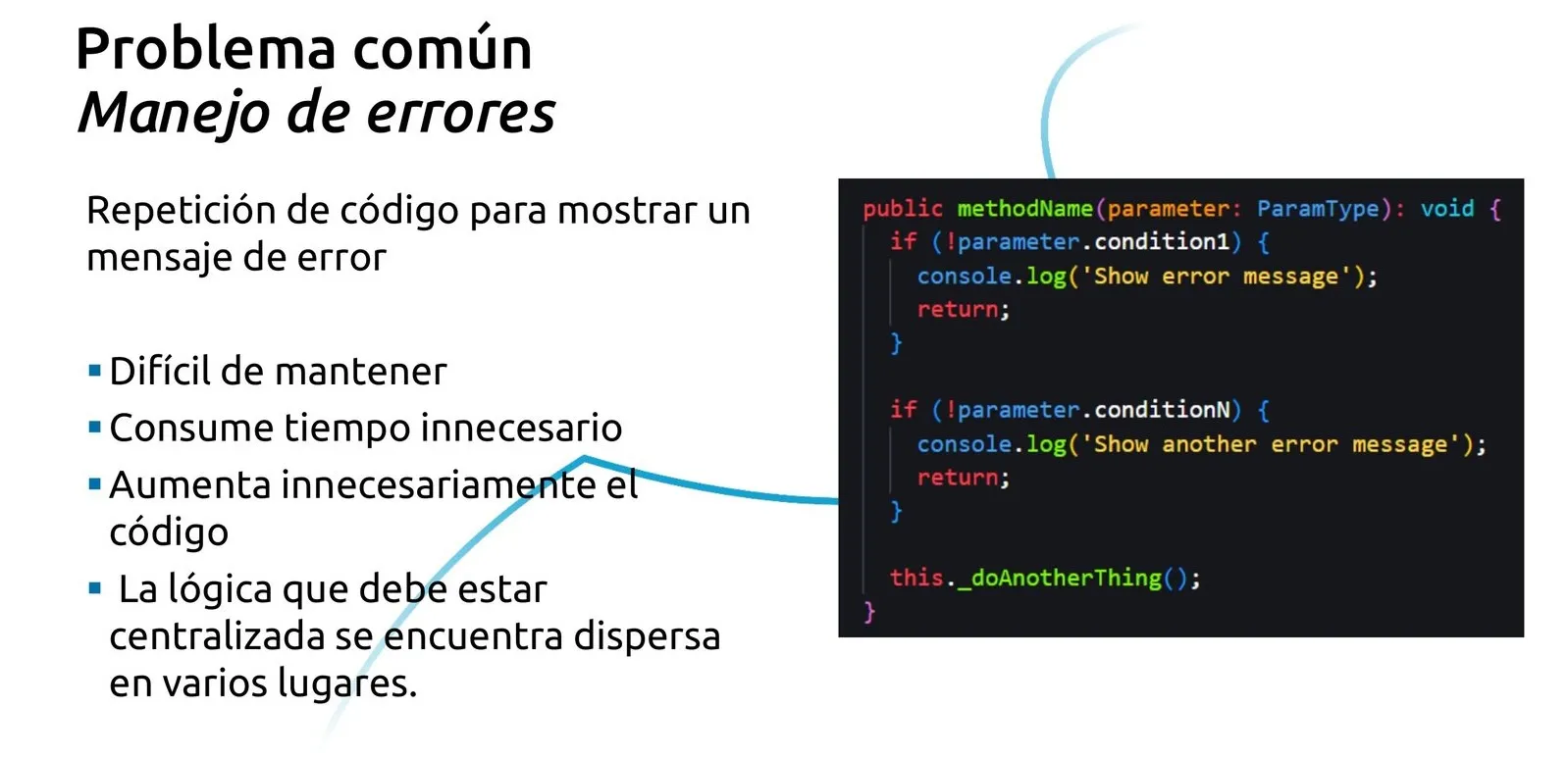
Most frontends end up looking the same: every method validates inputs, calls an endpoint, checks the response, decides which message to show, and finally does the actual work. That code is duplicated across every screen, hard to keep consistent, and the logic that should live in one place is scattered everywhere.
- Hard to maintain — every screen owns its own error UX.
- Wastes development time on boilerplate that adds no business value.
- Inflates the codebase with a near-identical try/catch in dozens of places.
- Splits logic that should be centralized into N independent copies.
The problem at scale #s2
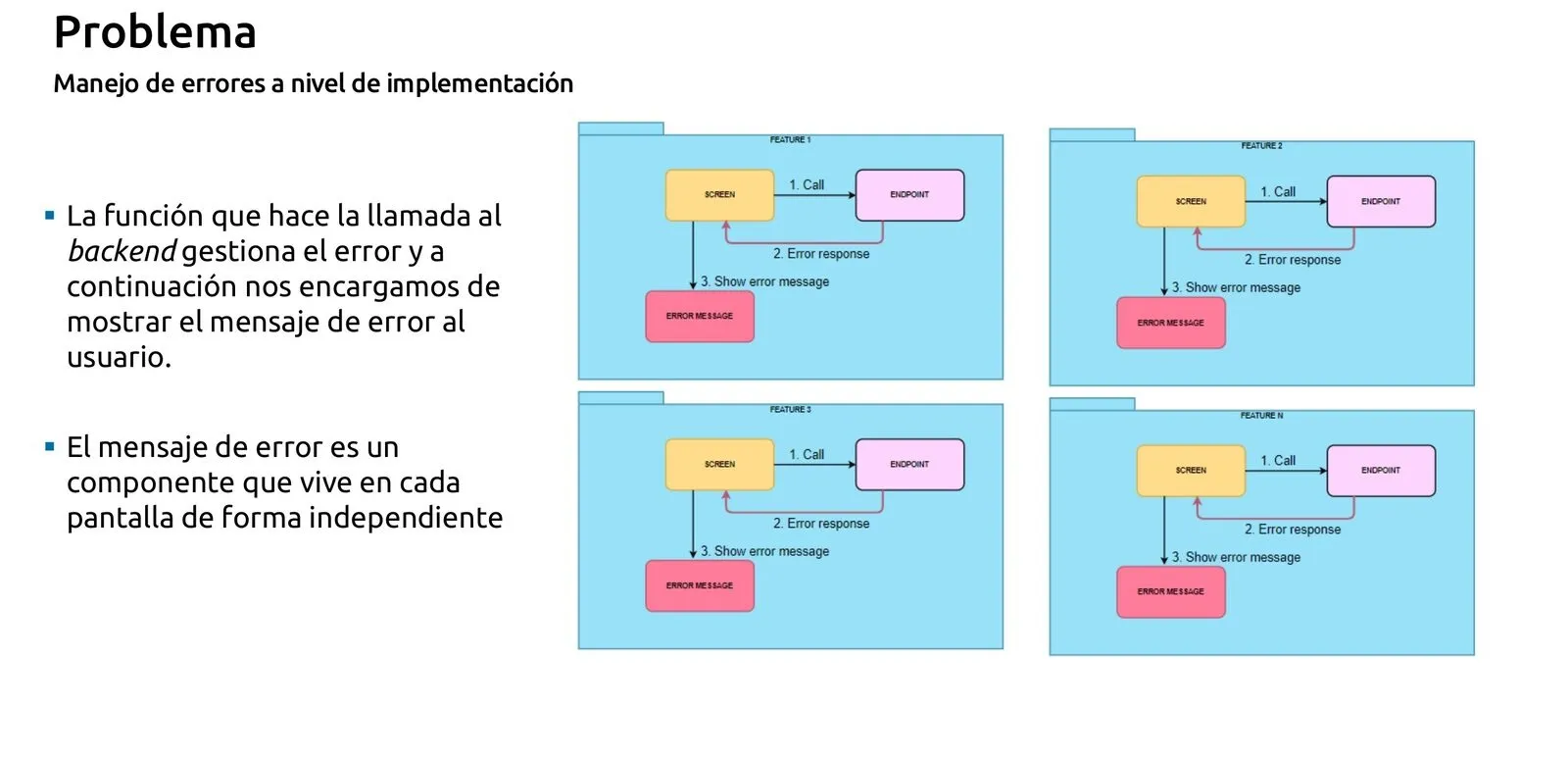
Zoom out and the cost compounds. Every feature in the application — drivers, teams, circuits, seasons — owns its own screen, calls its own endpoint, handles its own error response, and mounts its own message component. The same pattern, copy-pasted N times, with N opportunities to drift apart.
Suddenly the cost is not three lines of try/catch: it is a maintenance surface that grows linearly with the number of features and shrinks the team's appetite for change.
- N features × the same try/catch — and the same chance of inconsistency.
- Each feature owns the layout of its own error UX and drifts on its own.
- Adding a new failure mode means touching every feature instead of one place.
The MessageBoard component #s3
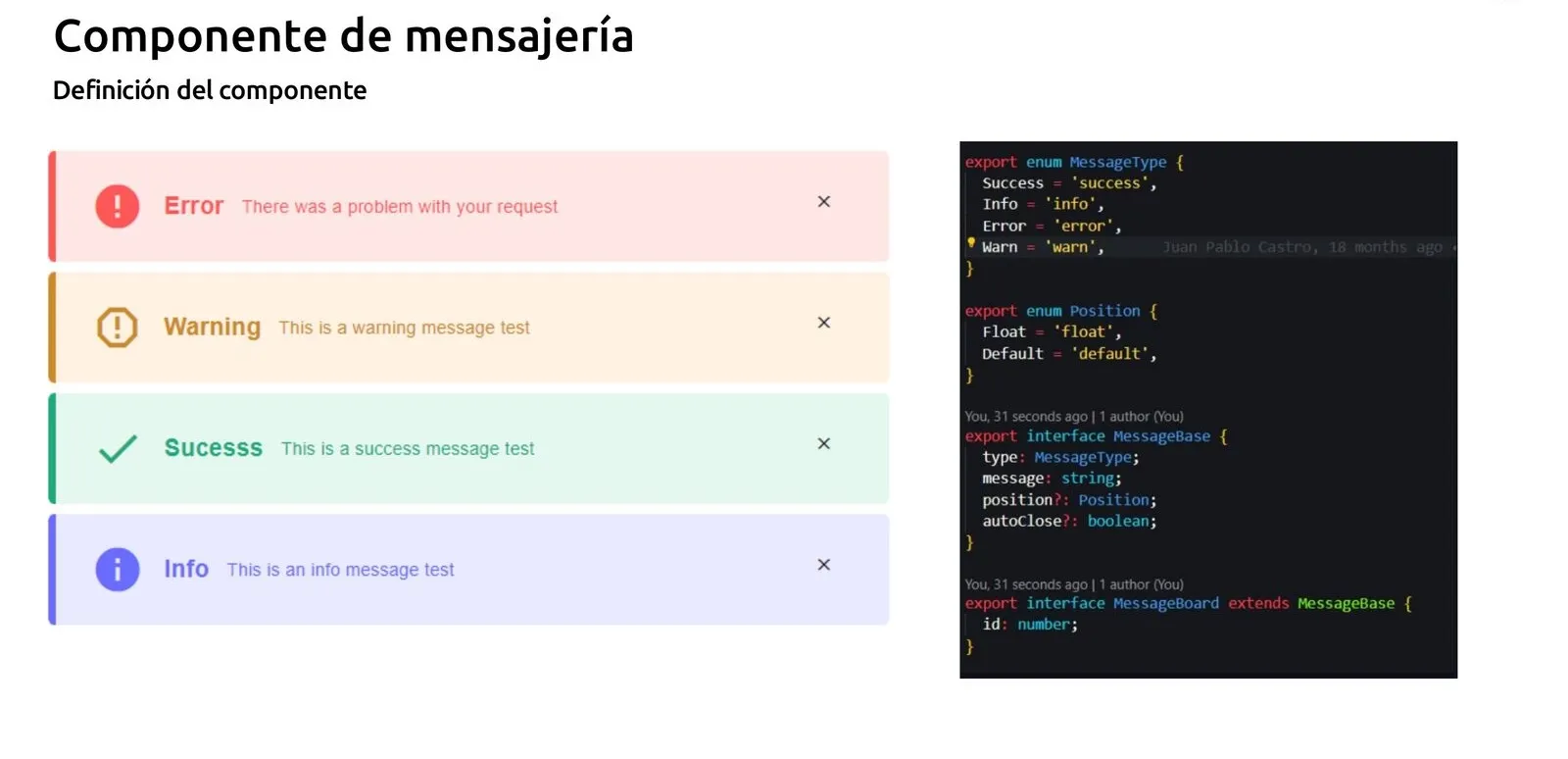
A typed component that lives in the shared component library and renders four kinds of message: Error, Warning, Success and Info. Each message carries a type, a body, an optional position (default or floating) and an optional autoClose flag.
Crucially, the MessageBoard is mounted in the application bootstrap layout — outside the router-outlet — alongside the header and footer. It is global and persistent: no matter which route is active, the surface where messages appear is always there.
- MessageType: Success | Info | Error | Warn.
- Position: Float | Default — controls whether the banner is sticky or inline.
- MessageBase: { type, message, position?, autoClose? } extended by MessageBoard with an internal id.
- Mounted as <header /><message-board /><router-outlet /><footer /> at the application root.
Reactive state with a BehaviorSubject #s4
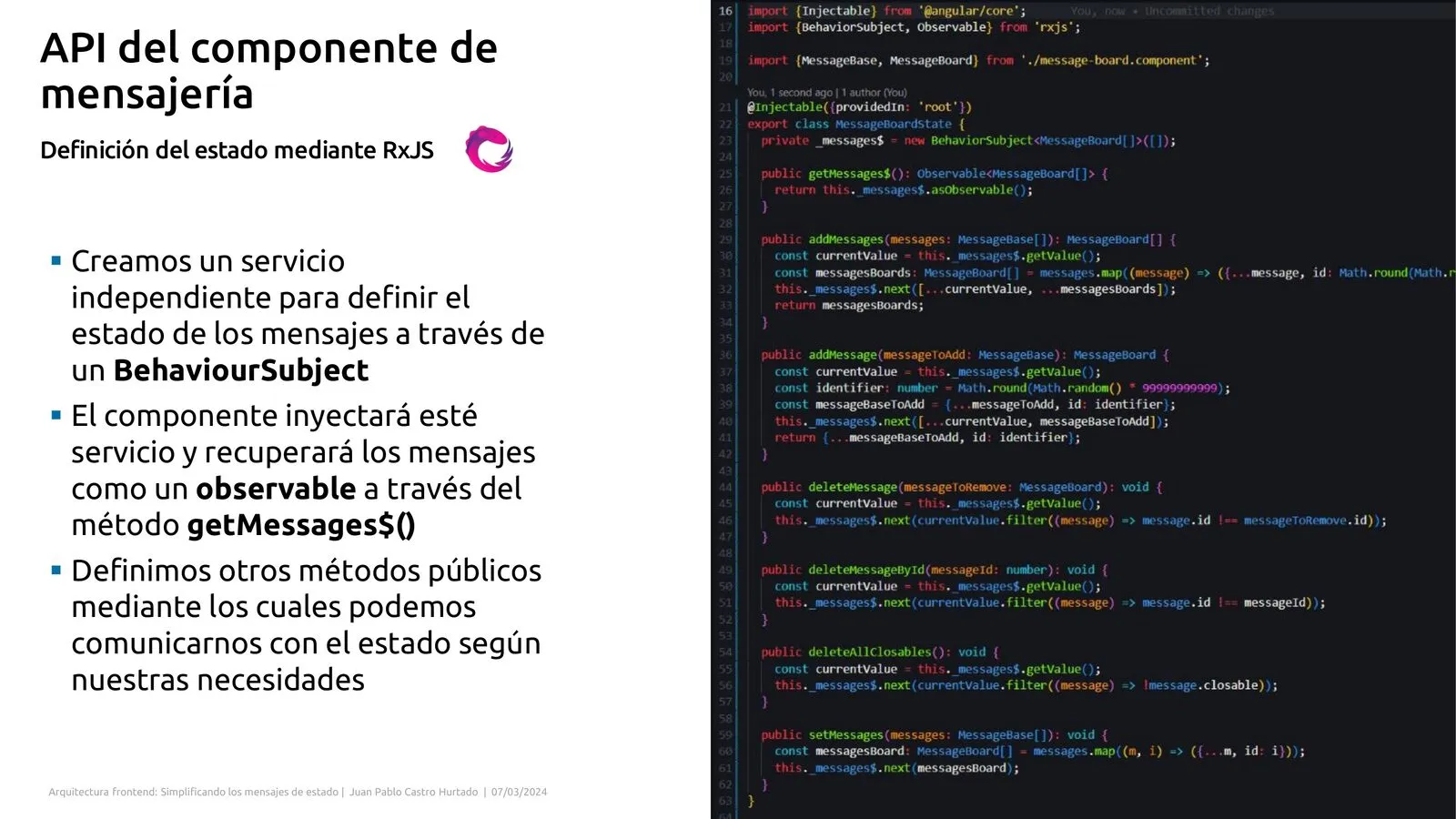
Because the MessageBoard sits at the root of the tree, a deep screen cannot reach it through inputs and outputs. The talk solves that with a small reactive state class exposing a private BehaviorSubject and public addMessage / removeMessage methods.
The MessageBoard subscribes to the observable; any service, component or interceptor injects the same state and pushes messages into it. RxJS operators (filter, tap, catchError) make the reactivity explicit and easy to extend.
The HTTP interceptor #s5
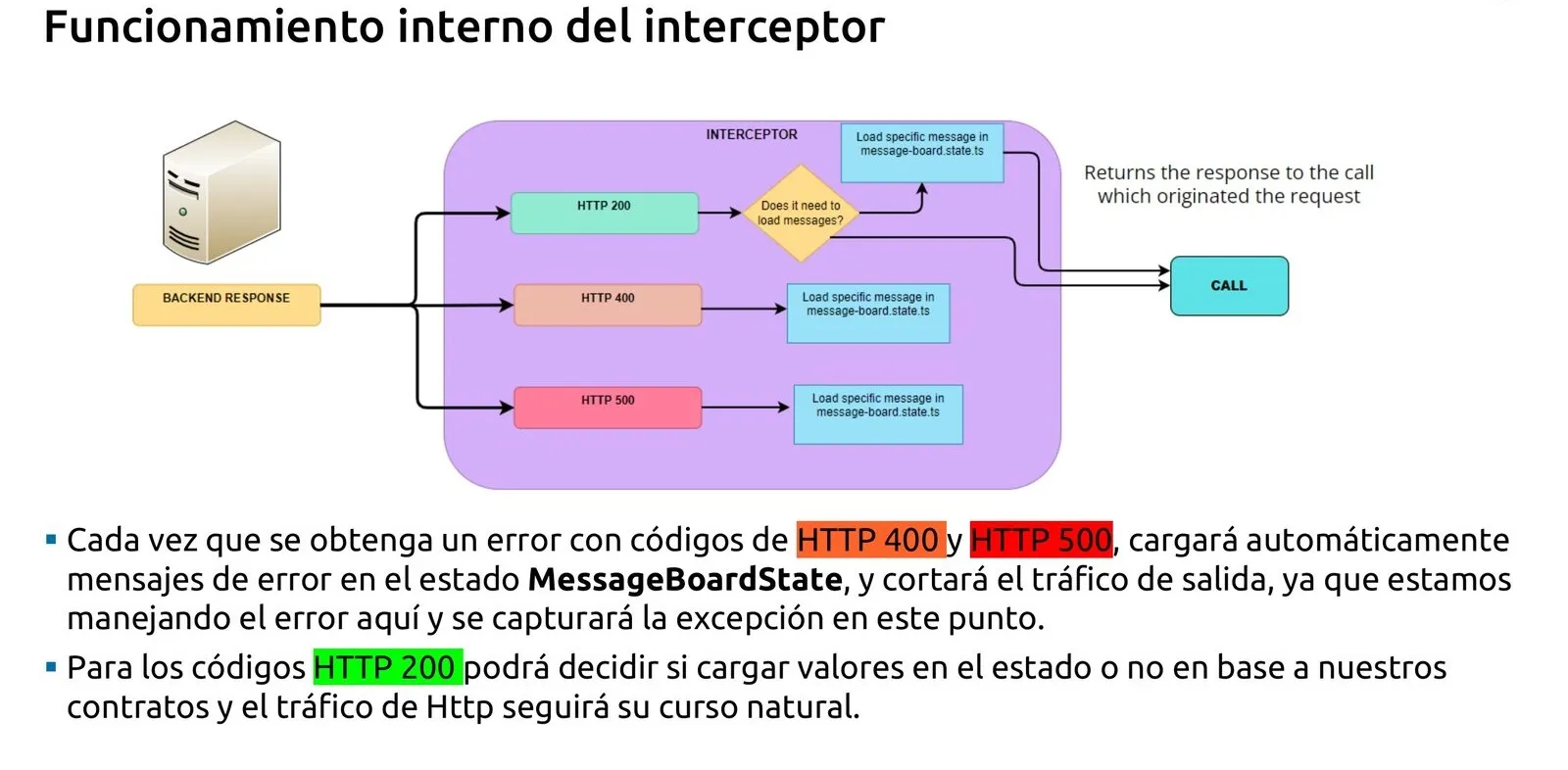
The interceptor is the eavesdropper on every request and response. It inspects status codes and bodies, and decides what to do without the calling screen ever knowing.
On a 4xx (business error) or 5xx (server error) it builds a Message from the backend payload, pushes it into the state and shortcircuits the stream — there is nothing left for the screen to handle. On a 200 with a success contract it can also surface an automatic green banner. Any other case is forwarded transparently to the caller.
- 4xx / 5xx → addMessage(error) and shortcircuit. The screen never sees the failure.
- 200 with success contract → addMessage(success) and forward the payload.
- Plain 200 → forward the payload untouched.
- Result: business rules are driven from the backend, the screen only owns the happy path.
The full architecture #s6
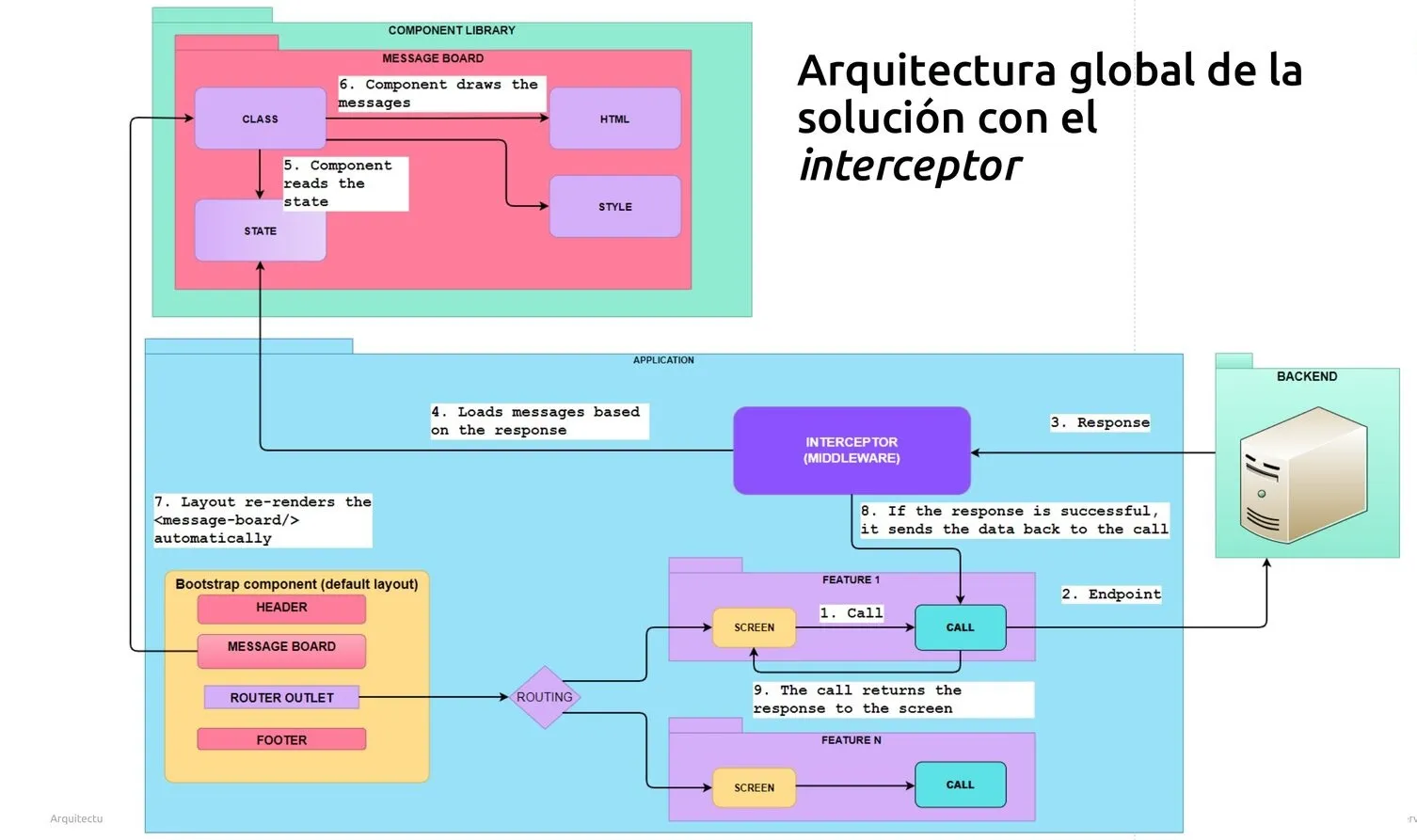
Putting all the pieces together, the architecture stops looking like 'a screen that fetches data' and starts looking like a closed reactive loop. The screen calls its endpoint, the response goes through the interceptor, the interceptor decides whether to push a message into the shared state, the layout re-renders the MessageBoard automatically, and the original call only forwards data — never errors — back to the screen.
The numbered steps in the diagram tell the whole story: 1) screen calls. 2) endpoint hits the backend. 3) response comes back. 4) the interceptor inspects it. 5–6) it pushes a message into the shared state. 7) the layout re-renders the MessageBoard automatically. 8–9) the call only returns data to the screen.
Outcome #s7
Across an application with dozens of screens, the pattern removes thousands of lines of duplicated error handling and lets components stay focused on their actual job: dispatching actions and rendering data. The infrastructure makes sure the user always knows what is happening.